It’s easier than one think
I’ve run into problems when loading performance data into Grafana with “another database” used to collect statistics for huge amounts of k6 performance test data with high cardinality, after a while, normally a few months, will the update of the Grafana dashboard become slow and take longer as time pass. I’m forced to create a new bucket to write to, start from scratch more or less, if needed
I happened to run into QuestDB while working on a “personal sized HFT solution” , I needed a extremely fast database, easy to manage and potentially already have some available resources for this particular purpose, so while searching I found discussions regarding the best DB for this low latency industry, most suggested QuestDB, so I gave it a try
I decided to use a Ubuntu VM on a overclocked Ivy Bridge and fast SSD to reduce the physical limited HW resources, downloaded and extracted the file structure, with a simple command started the database for it’s main directory:
bin/questdb.sh start
Jumped to localhost:9000 to access the WebConsole, imported a few samples and tried some queries, loaded a benchmark, ran it a couple of time and examined the results.
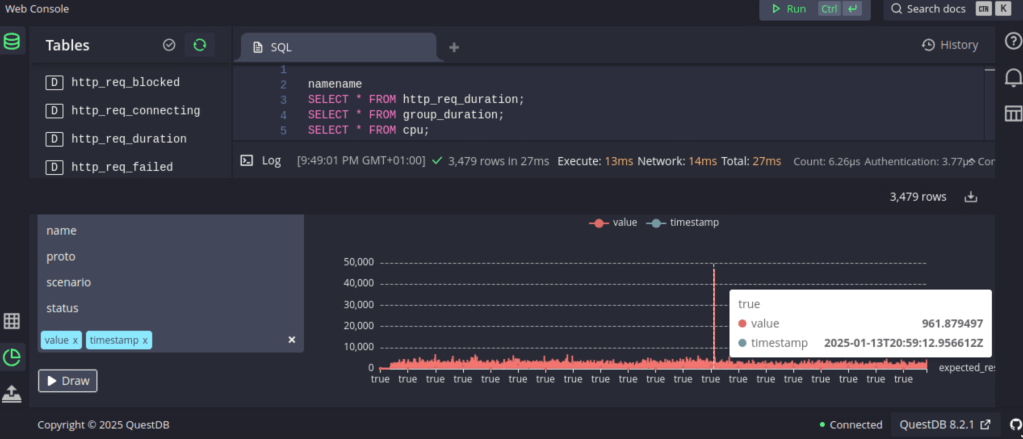
Then I noticed that QuestDB has a influxDB interface, so I thought, what about k6?
I tried a few command line variations, got it working quite quick:
k6 run script.js –out influxdb=http://localhost:9000
Found the data in the tables section (up to the left), a tried a number of combinations using the “draw” function to view the k6 results directly in the WebConsole, then I thought “Grafana”, there’s an excellent link how to setup Grafana for QuestDB: https://questdb.com/docs/third-party-tools/grafana/
There’s also information on how to query the database and you’ll get started faster on a fast DB than you may have expected

Next step will be to take a backup of the old database and import into QuestDB to evaluate the old data access.

 TechBlog